Describe the automation.
Watch it run.
Murmurator's assistant turns a sentence into a working workflow across GitHub, Slack, Stripe, Zendesk, your databases and 70+ other connections, and Claude — built in, or with your own keys — then shows you every step, live. It can read your systems, and now it can change your code.
14-day free trial · Built-in Claude models or your own keys · No per-run fees
Works with the tools you already use
How it works
From a sentence to a production workflow
No drag-and-drop canvases, no YAML to learn. Say what you want; the assistant does the plumbing.
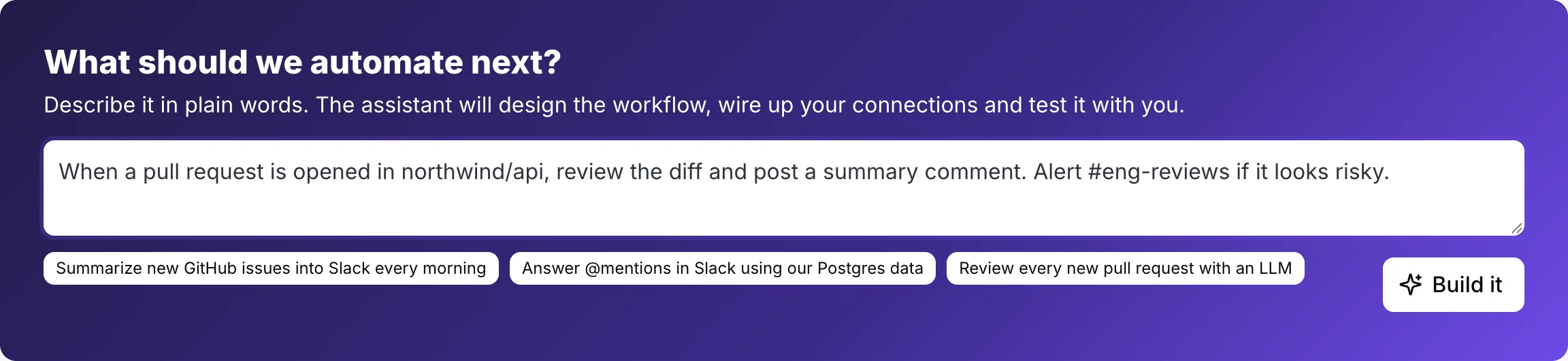
Describe it
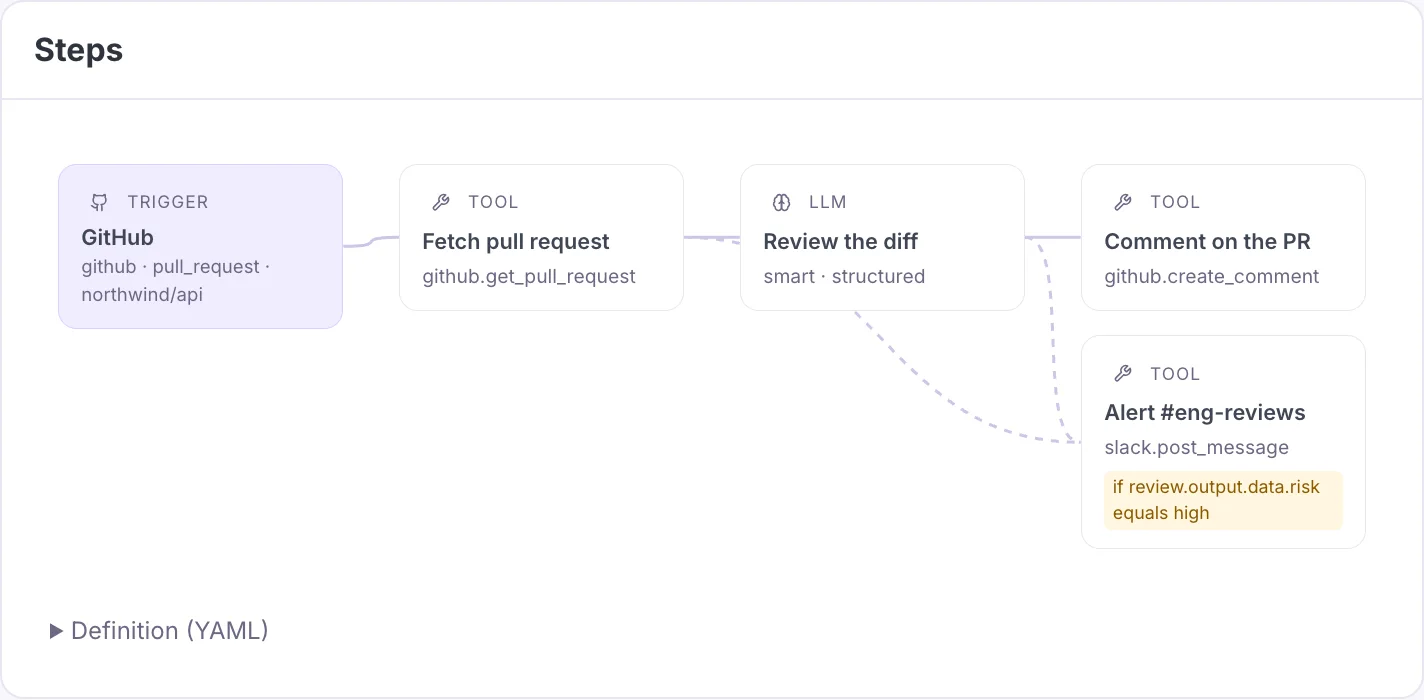
“When a PR opens in northwind/api, review the diff and alert #eng-reviews if it's risky.”
The assistant builds it
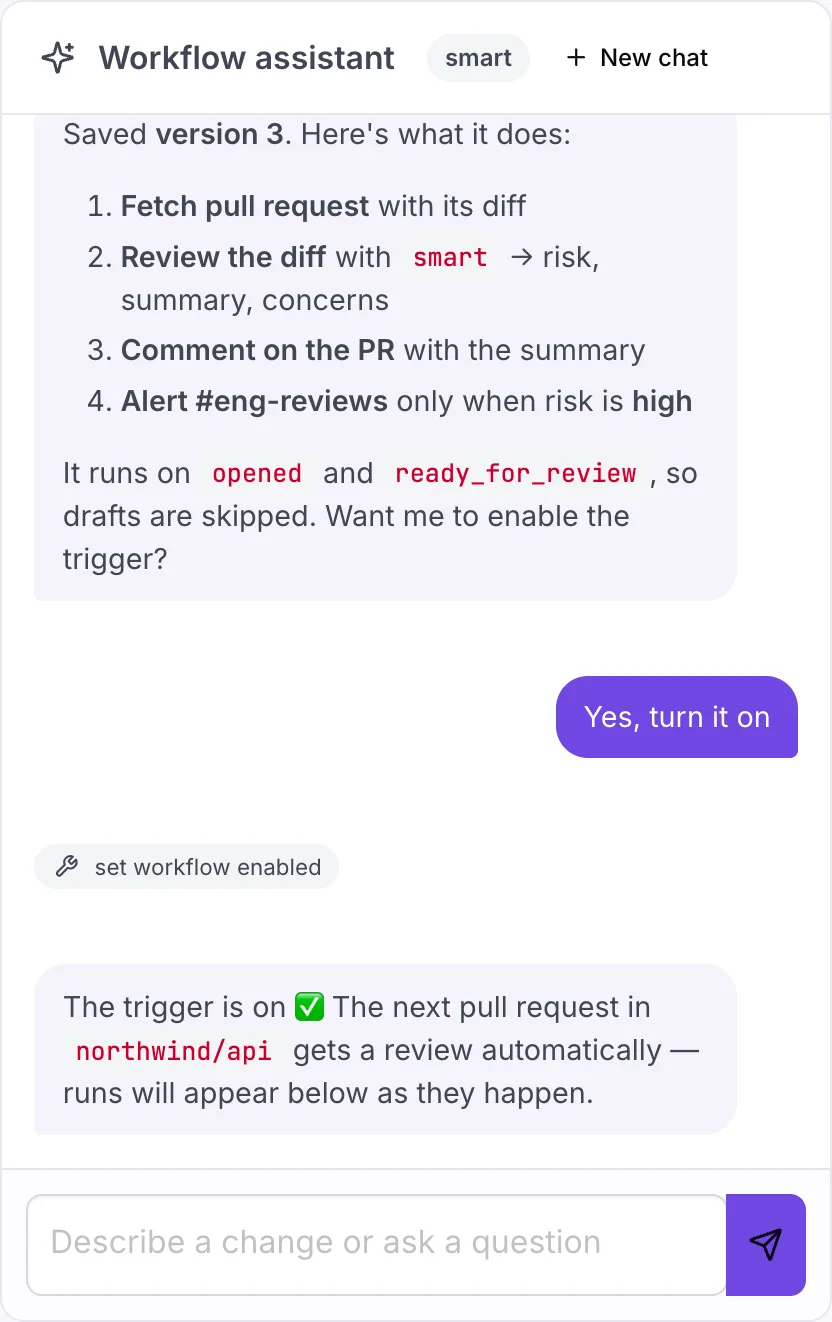
It checks your connections and models, writes the steps, validates them, and saves a version — asking when something's ambiguous.
Watch it run
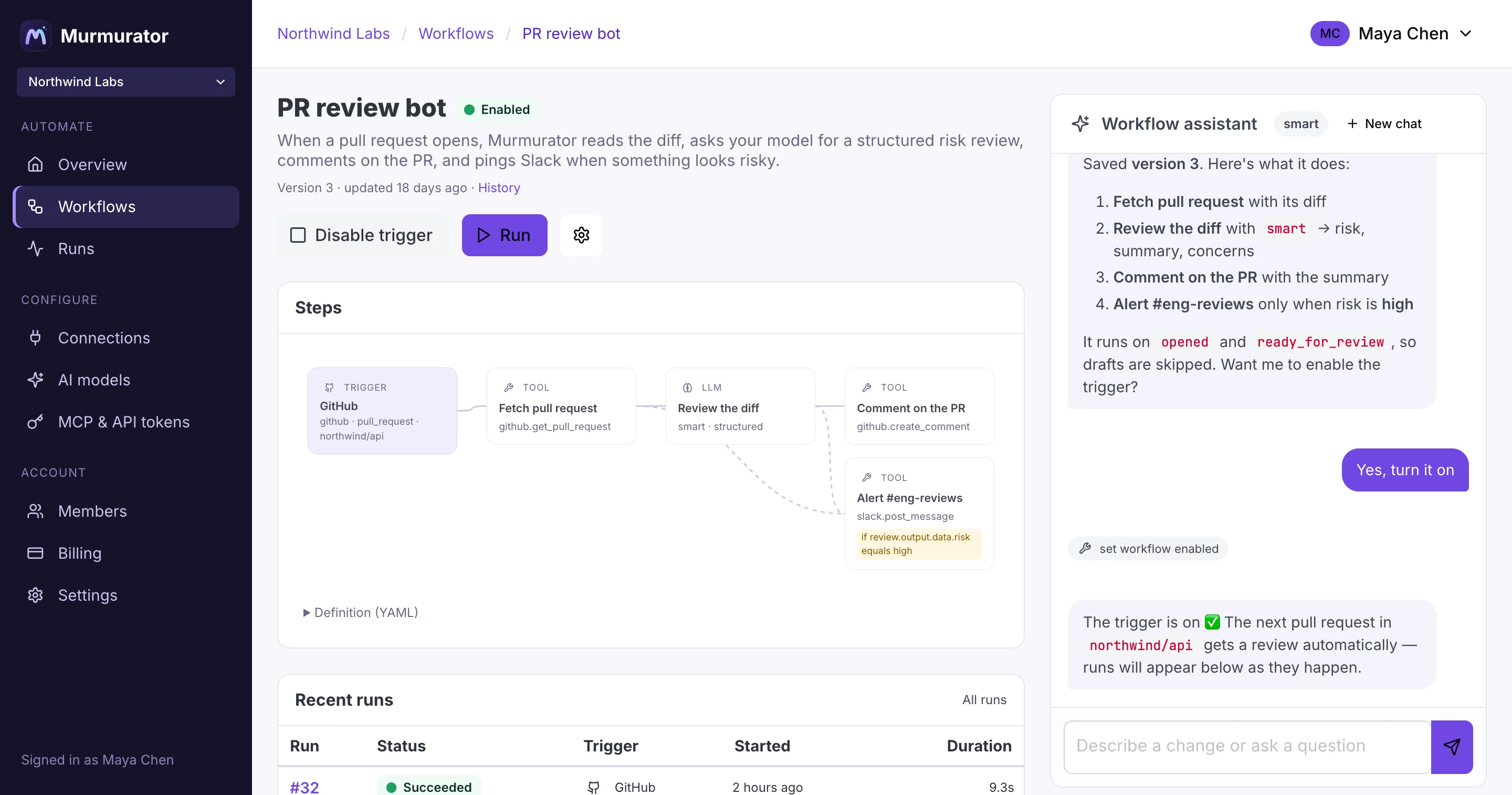
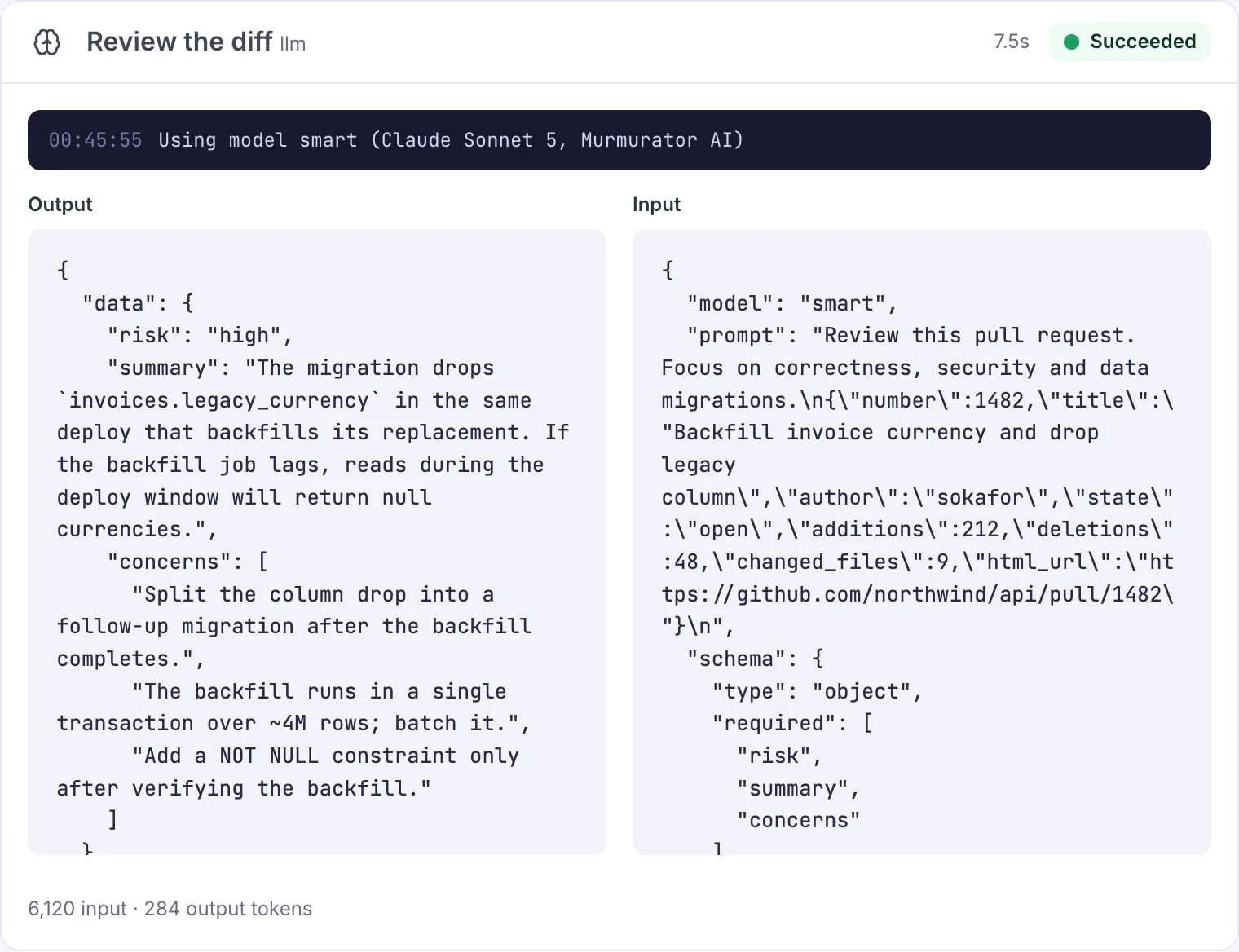
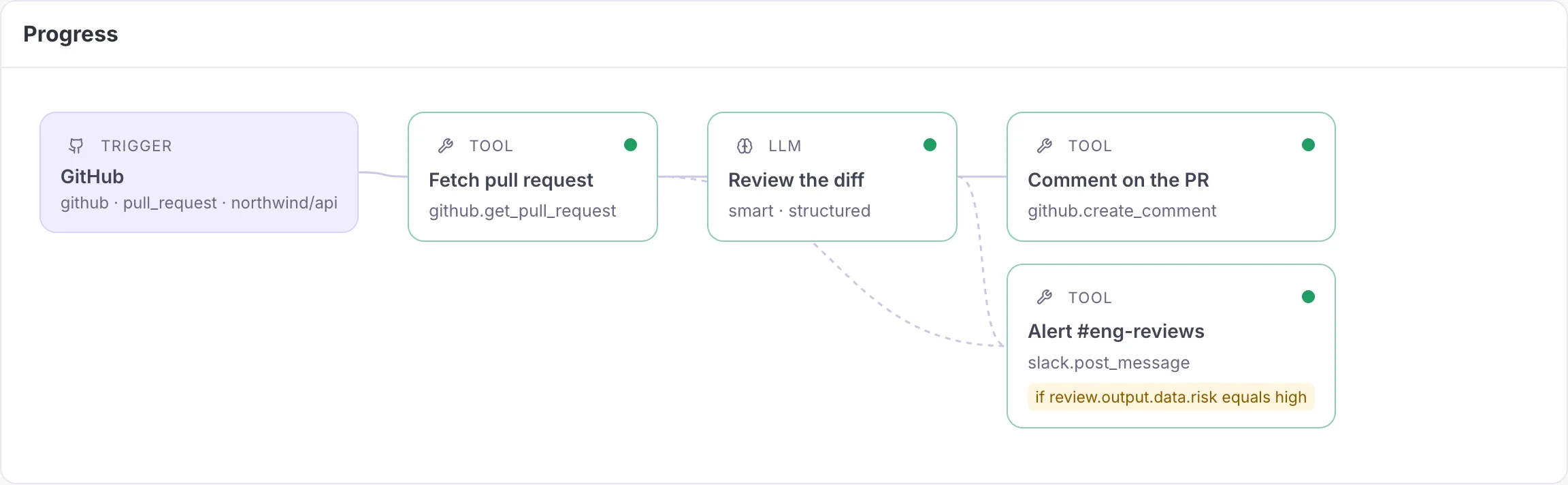
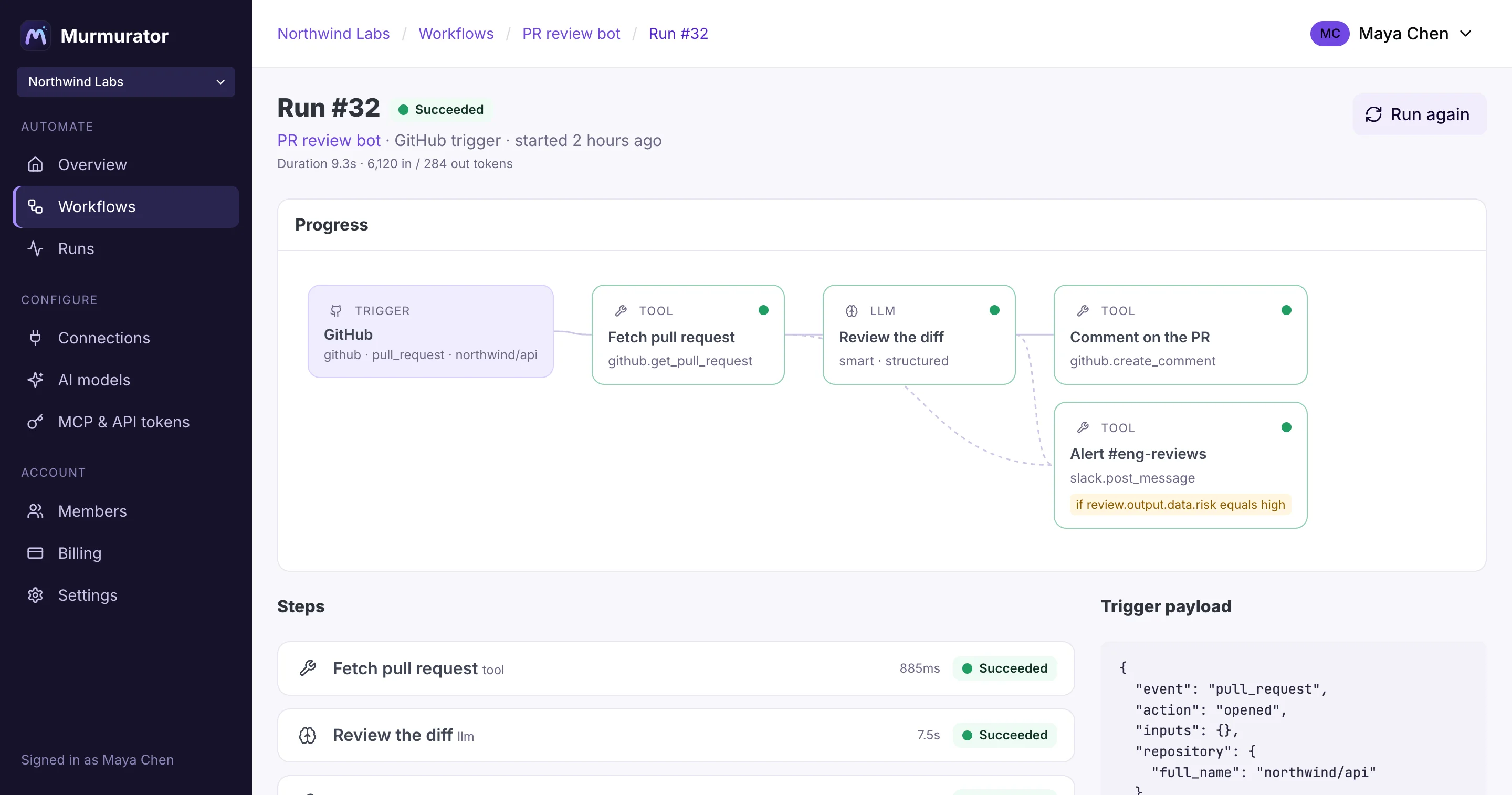
Every trigger starts a run you can follow in real time: each step's input, output, logs and tokens, streaming in.
Take the tour
Everything in one calm, live workspace
Chat with the assistant beside the workflow it's editing. Steps update the moment it saves.
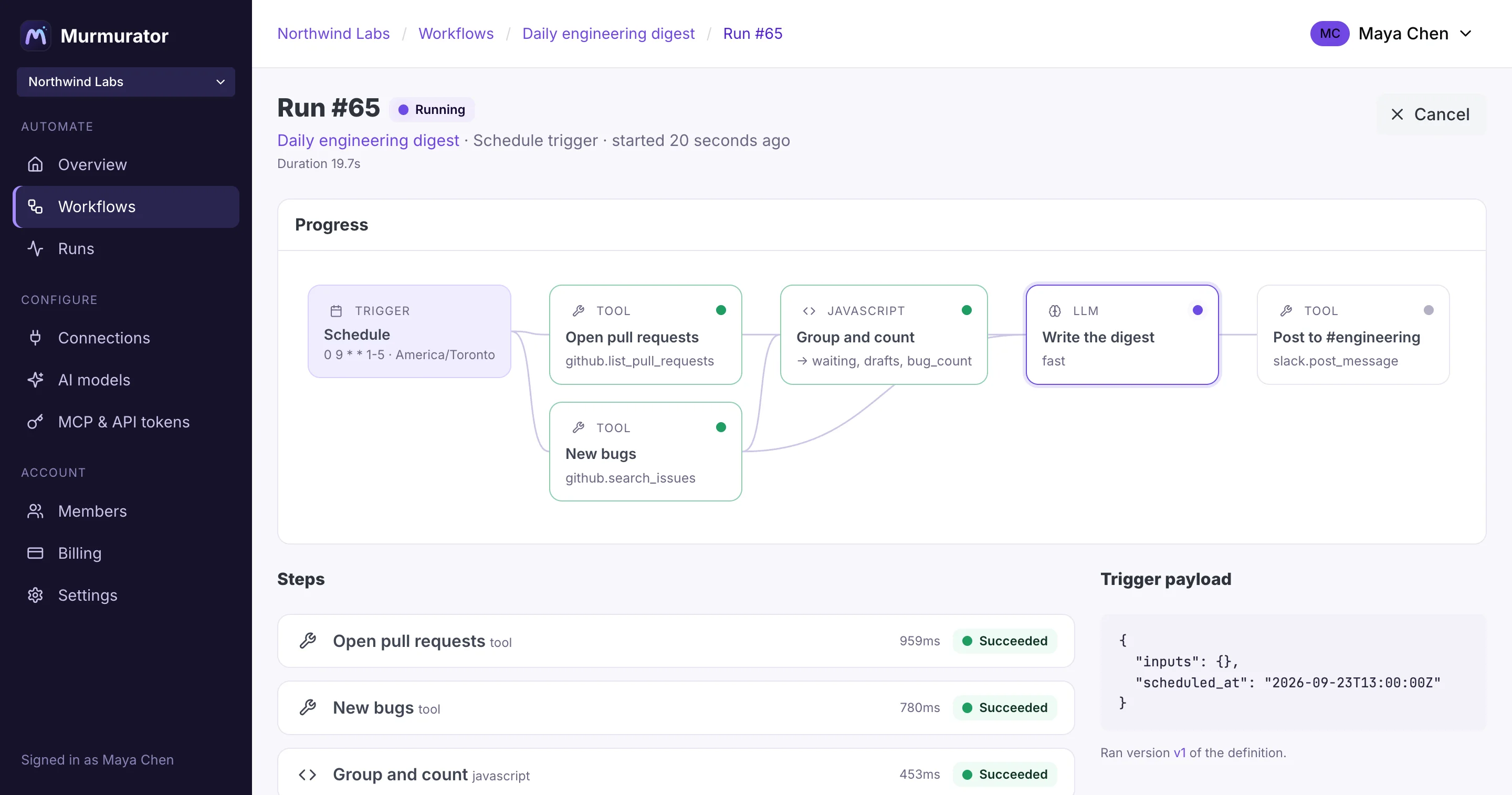
Runs stream in as they execute — no refreshing, no polling.
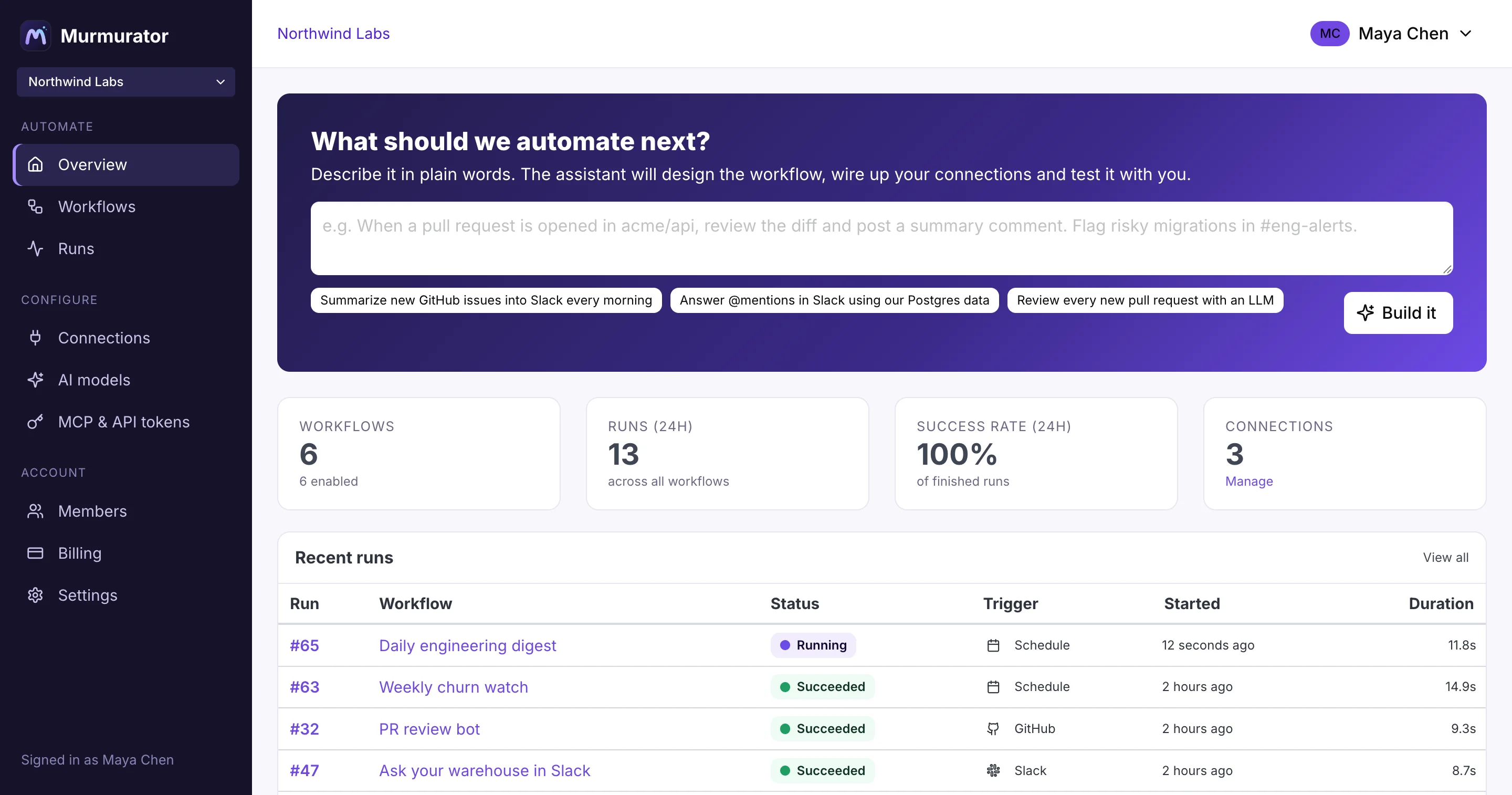
See every workflow and run across your team at a glance.
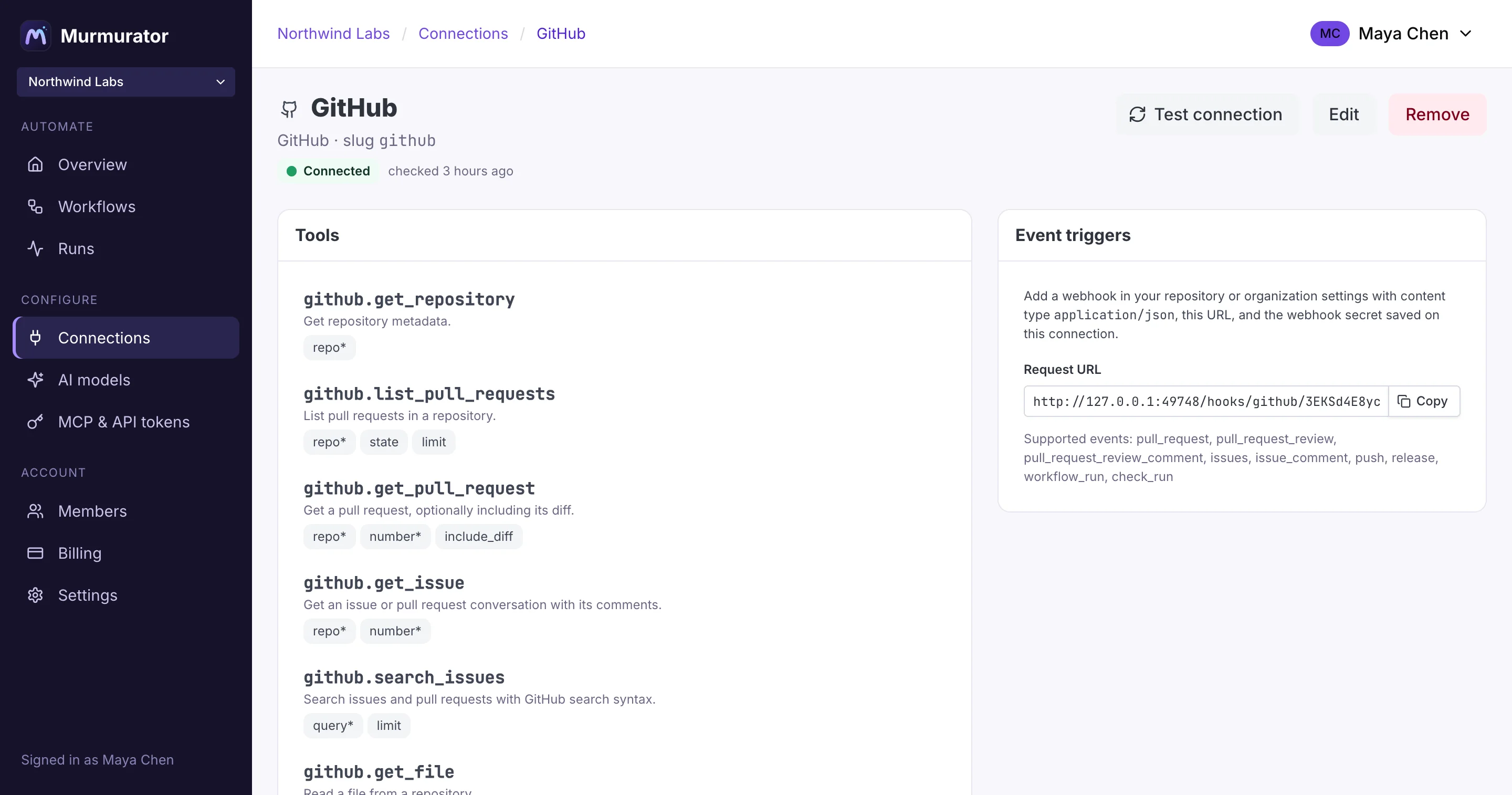
Connect GitHub, Slack, Stripe, Zendesk, your databases and dozens more once. Credentials stay encrypted and out of your workflows.
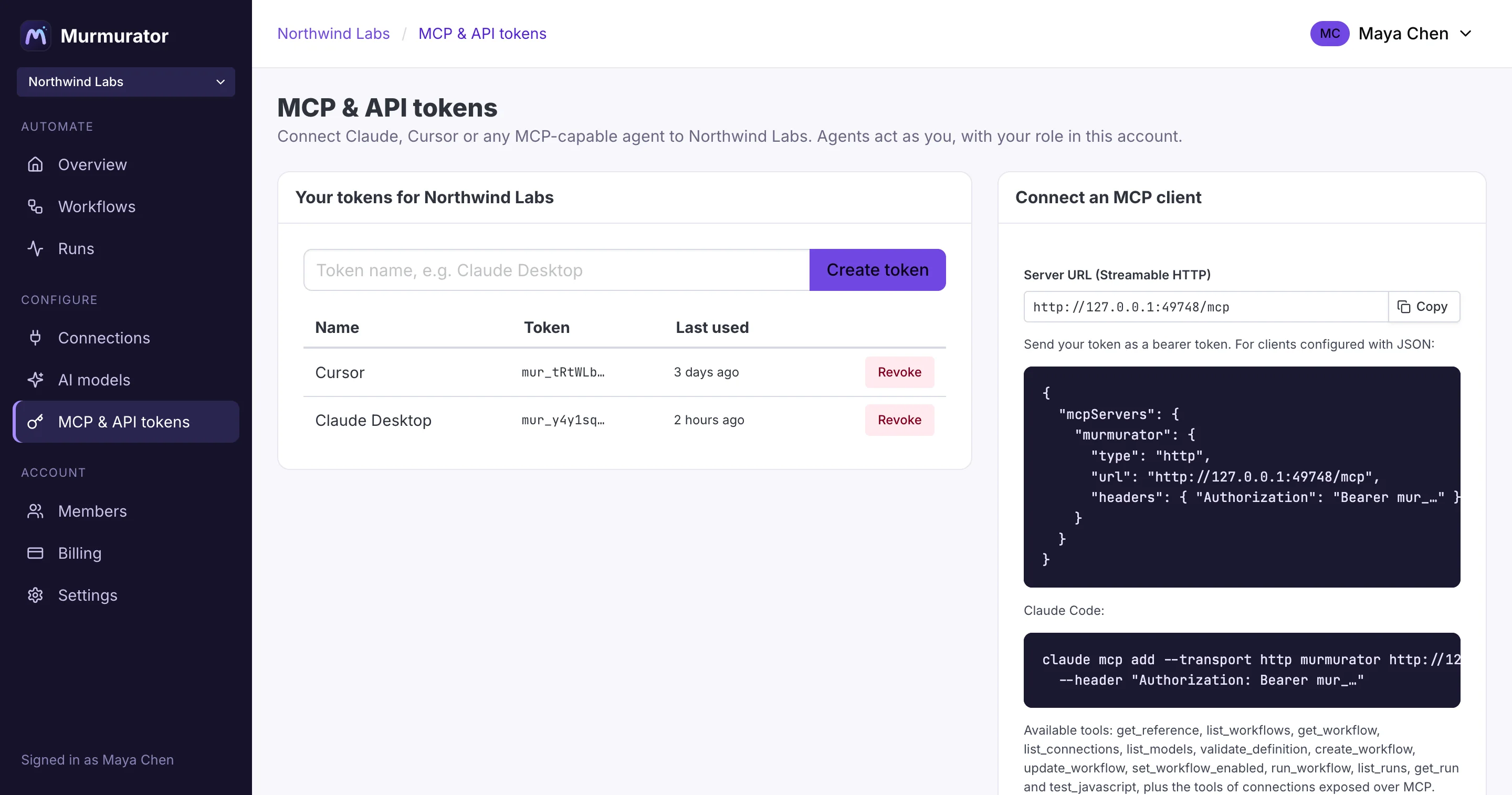
Give your own agents the same tools the assistant uses.
Live runs
See exactly what happened, as it happens
Each step shows its rendered input, its output, logs and token usage. Skipped branches say why. Failures say where.
- Model output streams into the page token by token
- Runs are pinned to the workflow version they started with
- Cancel, re-run and compare from the same screen
JavaScript steps
Real code where you need it — safely sandboxed
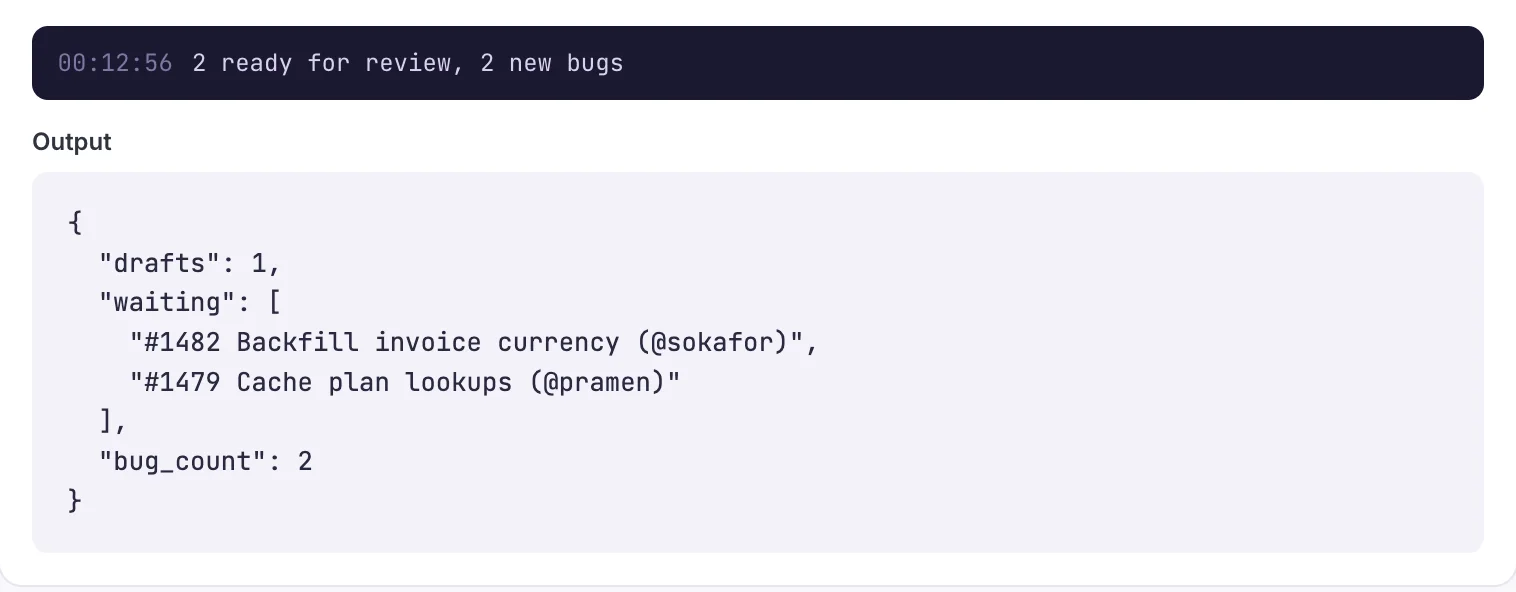
When data needs reshaping, the assistant writes a small JavaScript function with typed inputs and outputs. It runs in an isolated V8 sandbox with strict time and memory limits.
- No network, filesystem or secrets inside the sandbox
- Declared outputs are type-checked on every run
console.loggoes straight to the run's logs
 step: shape · outputs: waiting[], drafts, bug_countfunction main({ prs, bugs }) {
  const waiting = prs
    .filter(pr => !pr.draft)
    .map(pr => `#${pr.number} ${pr.title}`)

  console.log(`${waiting.length} ready, ${bugs.length} bugs`)

  return {
    waiting,
    drafts: prs.length - waiting.length,
    bug_count: bugs.length
  }
}
Workspaces
Workflows that ship code, not just comments
A run can clone your repository into a folder of its own, hand the job to a coding agent, and let it edit files and run commands until the work is done. Then your tests decide whether a pull request gets opened.
- Describe the job, not the edits: “the rounding test fails — find the cause and fix it”
- Your suite runs over the result, and the exit code is something the workflow branches on
- Pushes use a connection you already scoped, so a run writes only where you allowed
- The folder lives in a Docker sandbox and is deleted when the run ends
 issue labelled “automate” → pull request- key: checkout
  tool: workspace.create
  args: { repo: northwind/api, connection: github }

- key: fix
  tool: workspace.agent
  args:
    prompt: "Fix this issue, and add a test
      that would have caught it.
      {{ steps.issue.output.body }}"

- key: tests
  tool: workspace.exec
  args: { command: "bin/rails test" }

- key: pull_request
  if: { path: steps.tests.output.exit_code, equals: 0 }
  tool: github.create_pull_request

# → 342 runs, 0 failures · PR #1208 opened
Versioned by default
Every change is reviewable
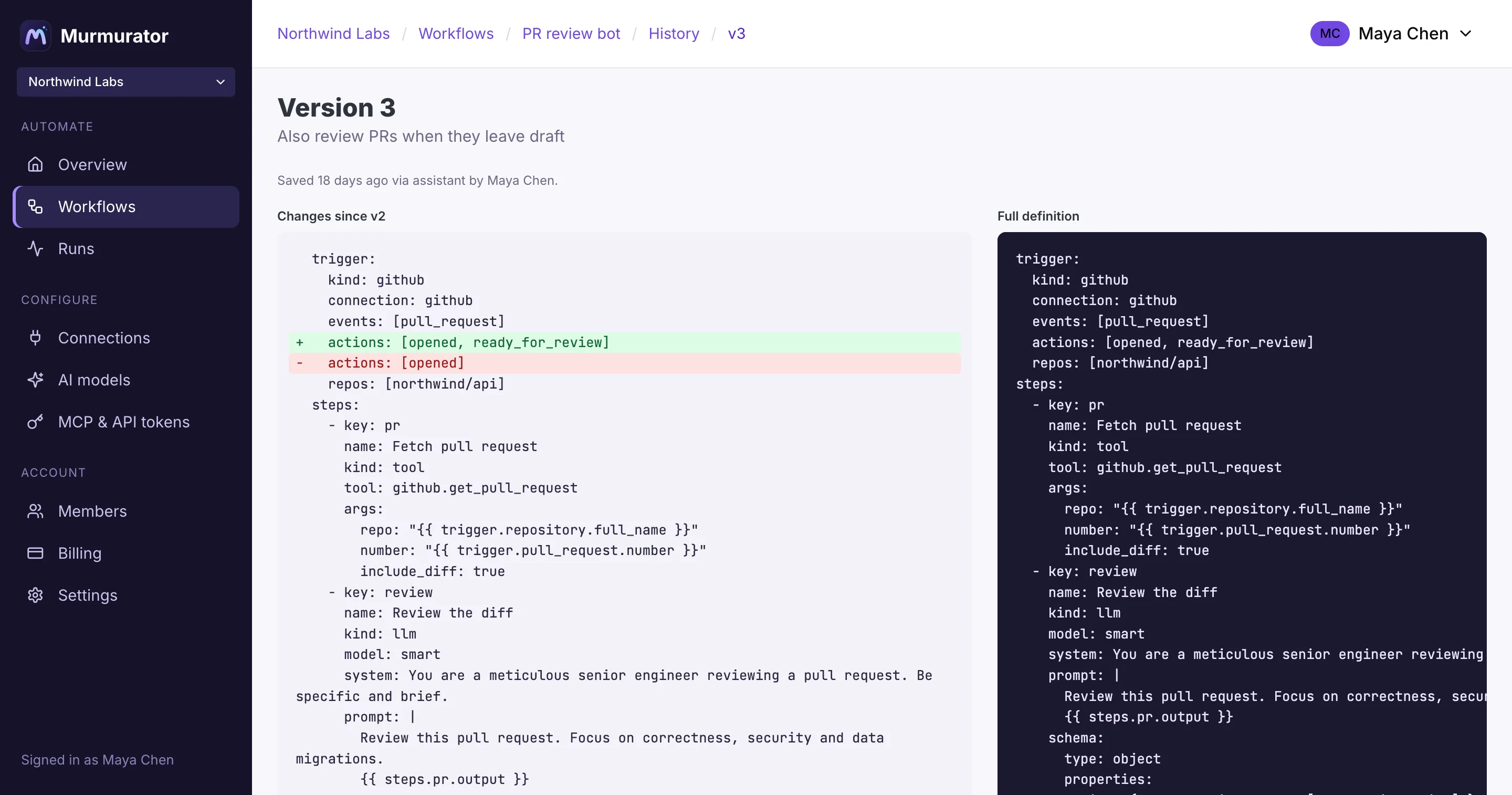
Each time the assistant — or your MCP agent — saves a workflow, Murmurator keeps a new version with a one-line summary and a diff. Nothing changes silently.
MCP server
Bring your own agents
Connect Claude, Cursor or any MCP client with a personal token — or point it at the endpoint with no credentials and let it sign itself up. Agents design, validate, run and debug workflows with the same tools our assistant uses, and manage the account around them, scoped to your role.
See what agents can do →claude_desktop_config.json{ "mcpServers": { "murmurator": { "type": "http", "url": "https://murmurator.app/mcp", "headers": { "Authorization": "Bearer mur_…" } } } } # list_workflows · create_workflow · validate_definition # run_workflow · get_run · test_javascript · …
Models your way
Built-in Claude, or bring your own keys
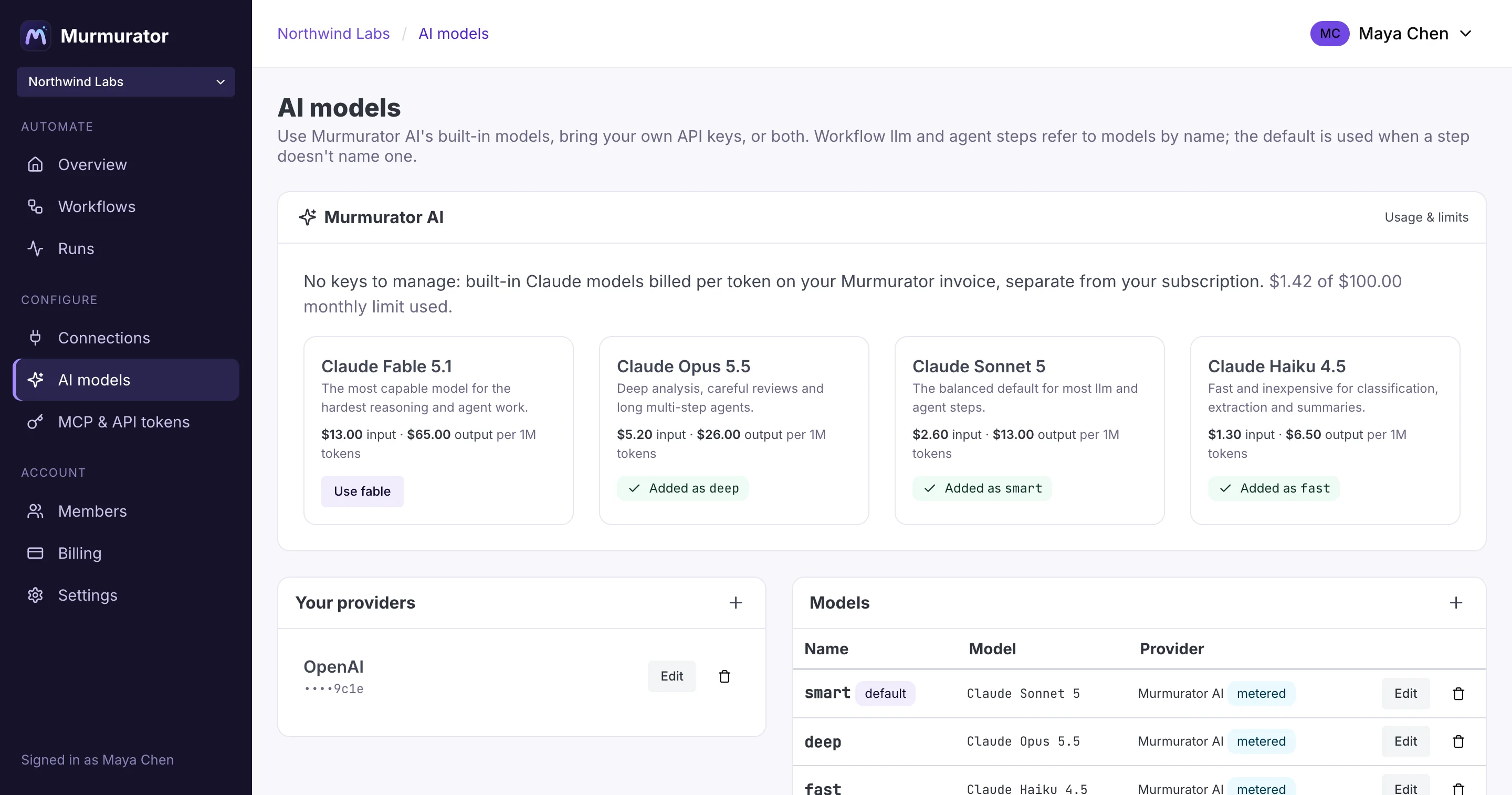
Every llm and agent step picks a model by name. Point that name at Murmurator AI and skip the provider setup entirely — or at your own Anthropic, OpenAI or Gemini account. Mix both in the same workflow.
Murmurator AI
Claude Fable, Opus, Sonnet and Haiku, ready the moment you sign up. Pay per token on your monthly invoice, with a spend limit you control. Trials include $5 of usage.
| Model | Input | Output |
|---|---|---|
| Claude Fable 5.1 | $13.00 | $65.00 |
| Claude Opus 5.5 | $5.20 | $26.00 |
| Claude Sonnet 5 | $2.60 | $13.00 |
| Claude Haiku 4.5 | $1.30 | $6.50 |
Per 1M tokens.
Your own providers
Add keys for Anthropic, OpenAI, Gemini, OpenRouter, Mistral, DeepSeek, xAI or Ollama. You pay your provider directly under your own agreement — Murmurator adds nothing.

Examples
Start from what other teams automate
Built for trust
Your keys, your data, your rules
Your choice of models
Use built-in Claude models billed per token, or your own provider keys with nothing added. We never train on your data.
Encrypted credentials
Connection secrets and API keys are encrypted at rest and never appear in workflow definitions.
Read-only by default
Database tools run in read-only transactions with timeouts and row caps unless you allow writes.
Team roles
Owners and admins manage connections and models; everyone can build and run workflows.
Pricing
Flat plans, from $99/month.
Unlimited workflows, runs and teammates on every plan, and every connection on every plan. Nothing is metered per task. Use your own AI keys at no markup, or pay only for the tokens you use with Murmurator AI.
See pricing →Your next automation is one sentence away.
14-day free trial with $5 of built-in AI included. Cancel anytime.